Welltherm · knowledge & inspiration
Welltherm infrared panel with a photo: personal warmth
3 March 2026 · Welltherm Netherlands / HeatXL
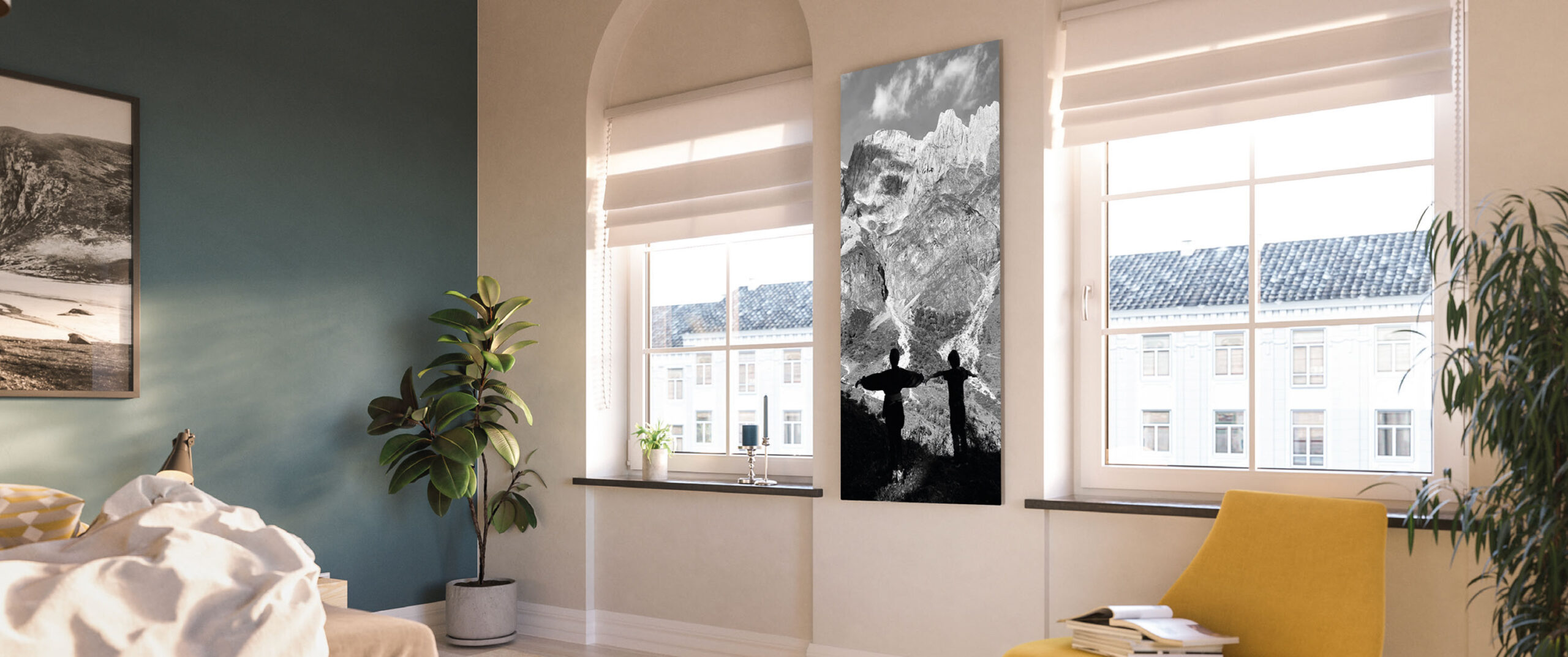
A Welltherm infrared panel with a photo gives heating a personal place in your interior. A landscape, a memory or a carefully chosen artwork becomes part of the heating panel. You combine radiant warmth with an image matching your home or workspace.
An attractive result starts with two choices that must align: the right heating for the room and a suitable image for the selected dimensions. This guide explains how our metal image panels work, which variants the catalogue includes and how to prepare your image. You also learn what matters for mounting, controls and coordination before production. As Welltherm’s Benelux distributor, HeatXL helps assemble the combination.
What matters for a photo panel
- A photo panel is a heating product with a personal finish; first determine required capacity.
- The metal image range in the 2026 catalogue has six variants from 330 to 1,210 watts.
- Supply your image at the desired panel dimensions, preferably at 300 dpi and at least 100 dpi.
- Check image rights, cropping and the proof image before specifying the version.
- Include mounting, suitable controls and technical requirements in your quotation request.
Why choose a Welltherm infrared panel with a photo?
Heating need not be solely a technical provision. On a suitable wall, an image panel can have a visual function too. Consider a peaceful landscape in the living room, a personal photograph in a workspace or an image coordinating with bedroom colours. The panel remains a heat source subject to operating instructions.
Welltherm infrared picture heating combines a personal image with warmth. A Welltherm infrared panel with an image is selected using the suitable model, dimensions and image file. At Welltherm, we make that version part of product selection. You do not choose a separate painting subsequently hung in front of an ordinary panel. Coverings, additional adhesive layers or a frame you add yourself can affect the application and do not replace the intended image range.
An image matching the room
Begin with the room’s atmosphere. A wide landscape can follow the line of a long wall, while a portrait-format image may work better in a narrow position. Include viewing distance too. A photograph with many small details may interest someone nearby but mainly appear as an area of colour from the seating area. The desired effect helps selection.
Read more
Then consider other elements: furniture, curtains, wall colour and lighting. A photograph looking attractive on your phone may become a much more prominent interior feature at large scale. Therefore, compare its chosen colours with the room. If uncertain between two images, compare them where the panel will actually go.
The available heating variant determines final dimensions. Therefore, choose the image together with the panel rather than as a completely separate element. An image must not result in a panel with technically insufficient capacity. A different crop or second heat provision sometimes suits better than a size selected solely for the photograph.
A dual function with clear expectations
The image panel emits warmth when switched on. Its heated surface radiates energy towards people and surfaces in front of it. Those surfaces subsequently transfer heat to their surroundings too. With sufficient capacity, the room’s air therefore also warms. The image does not turn the panel into an appliance heating only people.
A panel has a warm-up phase, and a cold room needs time to become comfortable. Perceived warmth depends on baseline temperature, panel positioning and layout. An image panel behind a large cupboard cannot work well visually or thermally. Therefore, make technical and visual positioning part of the design together.
Read more
Use the product for heating and comfort with realistic expectations about energy consumption. A personal image on the front is not a reason to expect a fixed savings percentage. Selected output, operating duration, insulation and controls determine the practical situation. We include these details when you request a proposal.
How does a Welltherm infrared panel with an image work?
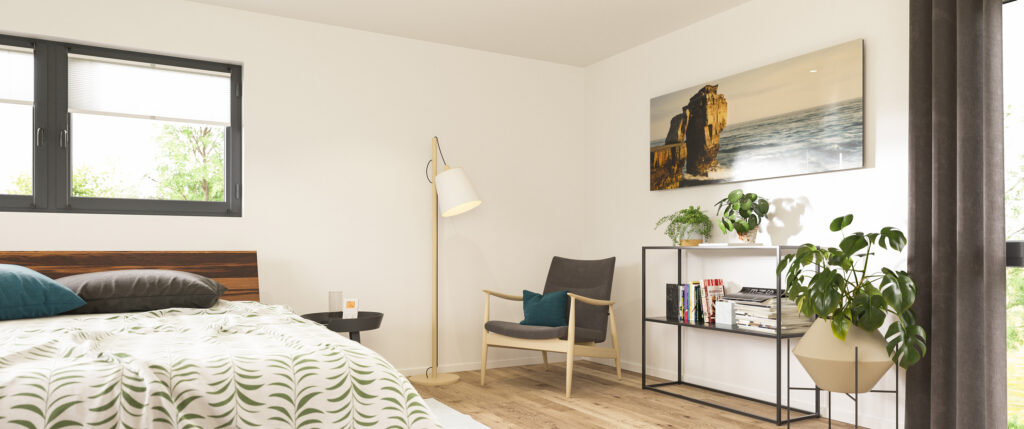
Our metal image range combines a metal front with a personal image and silk-matt finish. The 2026 catalogue specifies ESHC Plus heating technology. The image belongs to the product version developed for it. It is not a separate canvas used to cover another panel according to your own judgement.
The range has a precon connection and is combined with suitable controls. Receiver and thermostat selection therefore form part of the enquiry. The panel alone does not automatically provide every desired time programme or remote operation. We establish which functions you want and which components suit the selected combination.
The six metal image variants in the catalogue
The following details come from the 2026 product catalogue. Dimensions are actual product dimensions, including the stated depth. Use them when assessing available wall space and fixings. Available capacity does not automatically guarantee coverage of a particular number of square metres; your room’s heating requirements must be assessed for that.
| Article | Dimensions | Power output | Weight |
|---|---|---|---|
| BIPB0330 | 59,2 × 59,2 × 1,7 cm | 330 W | 7,8 kg |
| BIPB0510 | 59,2 × 89,2 × 1,7 cm | 510 W | 11,0 kg |
| BIPB0710 | 59,2 × 119,2 × 1,7 cm | 710 W | 14,0 kg |
| BIPB0910 | 59,2 × 149,2 × 1,7 cm | 910 W | 17,0 kg |
| BIPB1000 | 80,0 × 120,0 × 1,7 cm | 1.000 W | 18,5 kg |
| BIPB1210 | 75,0 × 150,0 × 1,7 cm | 1.210 W | 21,5 kg |
For this range, the catalogue lists protection rating IP21, protection class I and a 230-volt, 50-hertz connection. The connection cable is 650 millimetres long and white. Wall and ceiling mounting are listed for the range, always with correct fixings and according to the relevant manual. Product dimensions alone do not determine whether a mounting substrate is suitable.
View the Welltherm product page for infrared heating with a personal photo for the version. In your enquiry, we can connect the product code with the desired image and required system components. This clarifies the variant intended and the capacity included in the proposal.
Finish, proof images and colour differences
A screen emits light, while a printed surface reflects ambient light. The same image therefore does not look exactly identical under every condition. Screen settings, room lighting and material affect perceived colour. The catalogue also states that the proof image is an approximation and slight material-related colour differences may occur.
Read more
This matters especially when you want a specific wall colour, brand colour or skin tone reproduced very precisely. Discuss these preferences beforehand. Do not expect a photograph to look identical on every screen or under every lighting type. Coordination concerns the image, crop, product dimensions and the version’s possibilities together.
Follow maintenance instructions for the image front and use suitable cleaning products. Discuss the planned position beforehand, particularly with extensive direct sunlight, and have questions about colour retention and warranty confirmed for your version. Colour perception also relates to lighting and material. Keep the original finish intact and add only alterations permitted for the chosen product.
Which photo should you choose for your Welltherm photo panel?
A suitable image starts with the original file. A small photograph from a chat or a screenshot may become blurred at large scale. Therefore, find the original capture or high-quality image file. Merely resaving a small file with a high dpi setting does not create additional detail.
File formats and resolution
The catalogue lists JPEG, TIFF and PSD as accepted image formats. The starting point is a file at the heating panel’s dimensions, preferably 300 dpi and at least 100 dpi. The dpi value must relate to the eventual physical size. A file adequate for a small print is not automatically adequate for a panel more than a metre long.
A calculation example helps. For an image approximately 60 by 120 centimetres, 100 dpi corresponds to around 2,362 by 4,724 pixels. At 300 dpi, this is approximately 7,087 by 14,173 pixels. These are rounded examples for that nominal size; final preparation uses the selected panel dimensions and agreed crop.
Read more
Original sharpness matters alongside the pixel file. Motion blur or heavily compressed images remain visible even with a high pixel count. Therefore, have doubtful files assessed before treating them as final images. A technically adequate file may suit less well aesthetically, and vice versa. Checks must include both aspects.
Checking cropping and proportions
Image proportions must suit the panel. A square photograph on an elongated version requires cropping, surrounding space or another design. This may mean losing part of the original photograph. Check faces, horizons and important edge details especially so that they are not unintentionally cut off.
Read more
A portrait composition often works more easily for a vertical panel than a wide panorama. Nevertheless, a carefully chosen crop from a wide image can work well. View the result at the product’s proportions. Also assess how the image appears from the everyday viewing direction, such as from a sofa or opposite a desk.
Text within an image requires extra attention. Letters may be readable nearby but too small at a distance. A logo needs sufficient sharpness and correct proportions. For business images, we therefore record which elements must remain intact. Prefer a clear composition that remains visually balanced in the eventual interior.
Image rights and the correct version
Use an image you are permitted to reproduce for this purpose. With your own photograph, this may include permission concerning people depicted; for artwork, logos or stock images, rights must suit the application. Downloading an arbitrary image from a search engine does not prove permission to use it for a personalised panel.
Read more
If selecting a stock image, check the licence and supply the permitted high-quality version. Keep the information with the project. For a company logo, request the correct source version so colours and proportions are clear. Also identify the final file version when several variants arise during preparation.
Have the final crop and version confirmed before specifying the order. A personal image panel is prepared for your selection. Clear checks beforehand therefore matter more than with a standard white panel. Review the proof image carefully for composition, orientation and agreed product dimensions.
Your Welltherm infrared panel as a painting: output and positioning
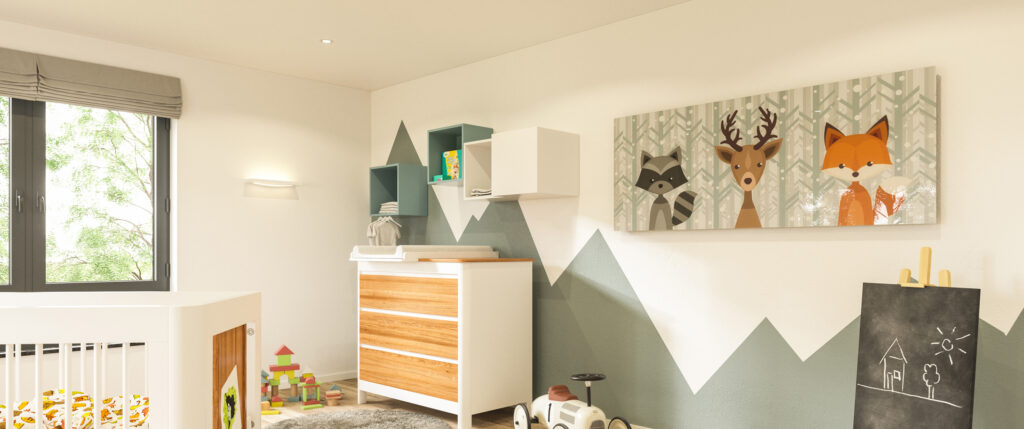
A Welltherm infrared picture has a heating function that must suit the room. For primary heating, total output must compensate for heat loss. For supplementary heating, we assess which existing heating provision remains and which area needs extra comfort. The selected image does not make that calculation unnecessary.
Heating requirements come before image dimensions
Provide room dimensions and height alongside information about windows, external walls and insulation. Also describe desired temperature and usage times. A bedroom mainly used while dressing needs a different approach from a living room occupied all evening. The objective and building determine technical assumptions.
Read more
The catalogue includes floor-area indications, but the actual situation may differ. Extensive glazing, an open connection to a hallway or an exposed external wall affects heating requirements. We therefore use product output as part of the plan. Floor area or an attractive available wall alone provides insufficient information for final selection.
When the desired image mainly suits a small panel, we investigate its relationship to capacity. The panel may work as supplementary heating, or another suitable version may be needed. Conversely, a long panel may occupy an attractive position without needing its full output for the chosen application. Controls and usage remain involved in that assessment.
A suitable wall or ceiling position
On the wall, you want both a view of the image and suitable heating positioning. Large furniture, curtains and doors must not obstruct mounting or prescribed clearances. Therefore, consider the room in use, with the chair or sofa in its actual position. A wall appearing available on an empty plan may later prove unsuitable.
Read more
The metal image range also lists ceiling mounting. The image’s effect differs there, and structure and fixings are particularly important. The substrate must support the weight, and the installation must meet product instructions. Include lights, beams and other ceiling services in the plan. Have the fixing method assessed before choosing a final position.
Weights in the table show that an image panel requires more than a lightweight photo frame. Fixing materials must suit the product and substrate. Use the prescribed mounting provision and follow the manual. An improvised hook, adhesive joint or decorative frame cannot replace the fixing or version without assessment.
Controls and electricity consumption
A suitable thermostat and receiver help align heating with usage. Compatible systems offer time programmes and room-by-room temperature control. App operation depends on the selected control solution. State your preferences beforehand so that panel, connection and operation are selected as a combination.
To estimate consumption, multiply output in kilowatts by actual heating hours. A 710-watt BIPB0710, for example, uses 1.42 kWh during two hours of uninterrupted heating. Costs follow from your own electricity tariff. A thermostat may switch the panel off intermittently, so occupancy and maximum operating duration need not be identical.
A personal print does not prove a different energy bill from another suitable version. Assess capacity, operating time and the room as a whole. Find further explanation on the page about Welltherm infrared heating and consumption. We use such calculations to clarify expectations rather than promise fixed savings.
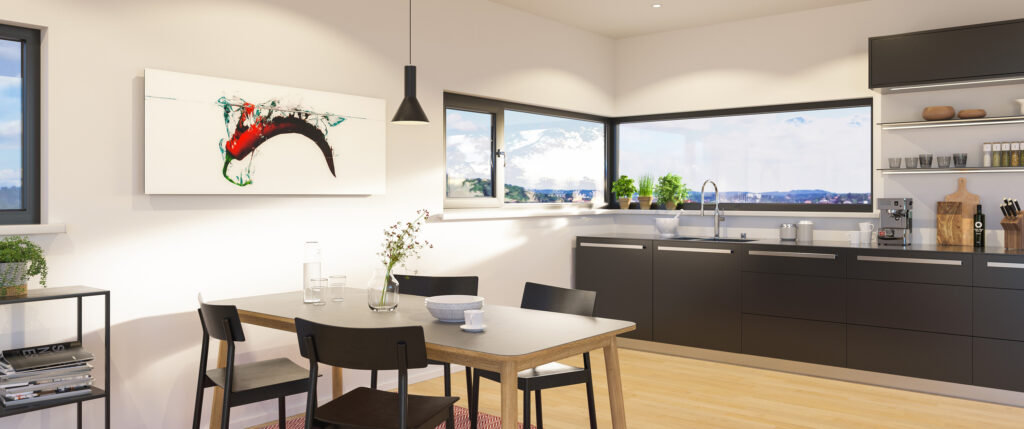
Developing Welltherm infrared heating with your own photo
For a personal image panel, we specify the technical variant and image together. You then know which product suits your room and how your image is applied. Explore the image range in our product catalogue. Pricing is determined on request for the specific version and corresponding components.
From an image idea to a complete enquiry
Send room details, mounting preferences and intended application. Identify the image you want and whether the original file is available. You may specify a preferred product, but treat it as a starting point while capacity still needs assessment. A complete proposal connects the product with the room for which you choose it.
Read more
Describe what matters in the image: must a person remain fully visible, a horizon occupy a particular position or a logo be preserved? This helps assess cropping. For several files, supply clear version labels. This prevents confusing a preliminary image with your final choice.
Dimensions, image quality, crop and product version are then coordinated. Suitable controls and mounting components belong here too. Ask which components the proposal includes and which work is carried out separately. For delivery of a personalised product, we discuss current possibilities and lead time for that specific combination.
Welltherm infrared panel with your own photo
For a Welltherm infrared panel with your own photo, begin with two or three original photographs conveying the same personal idea. Compare them at the intended panel dimensions rather than only as small previews on your phone. A wider capture may provide more cropping possibilities than a photograph whose subject already touches the edge. State which detail you want preserved.
Keep the original photograph separate from an edited version. After editing, clearly identify which file is final and which serves only as reference. We can then assess sharpness and available image area without unintentionally using an earlier crop as the starting point. For the metal image range, the catalogue lists JPEG, TIFF and PSD at the heating panel dimensions, preferably 300 dpi and at least 100 dpi.
Read more
Also include the final viewing position in comparison. A portrait mainly viewed close up may call for a different crop from a landscape opposite the sofa. Place a paper surface with the chosen external dimensions on the wall and consider how the image and furniture relate. Agreed orientation, file version and crop are then documented together for the original Welltherm version.
Checking the proof image carefully
Before finalising the order, check the agreed image at product dimensions. Consider proportions, cropped sections, orientation and important details. Discuss corrections at that point. When assessing colour, account for the previously mentioned differences between screens and printed material; the proof image approximates the result.
Read more
A personally made panel needs clear agreements before production. Discuss applicable conditions and have the selected version confirmed. Before production, discuss which alteration and return conditions apply to your personal panel. Agreements for your order become part of the proposal.
Use, cleaning and support
The surface becomes warm and may become hot depending on the model. Choose a suitable position and prevent unwanted contact or covering. Account for children and vulnerable users. The image may make the panel resemble ordinary artwork, but it remains an electric heating product with corresponding requirements.
Let the panel cool and follow the manual for cleaning. Do not use abrasive products or your own coatings unless permitted. Keep product details, purchase information and installation documents. The relevant Welltherm infrared panels have a five-year manufacturer’s warranty subject to conditions. Consult our warranty page for further information and support.
A Welltherm infrared panel with a photo matching your room
A personal image panel combines warmth with an image you enjoy seeing in your interior. The most attractive result emerges when output, mounting, image dimensions and controls are chosen together. Begin with heating requirements and available positioning. Then choose the image and check the version before specifying the order.
Would you like a Welltherm infrared panel with an image for your home or workspace? Request a proposal for your personal photo panel and share room details and the desired image. HeatXL helps develop the possibilities, considering both the technical combination and personal appearance.
Frequently asked questions about Welltherm photo panels and picture heating
Can I use any photograph?
The image must be technically suitable for the selected dimensions, and you must have permission to reproduce it for this purpose. Supply the original high-quality file. JPEG, TIFF and PSD are listed in the catalogue. Image quality and cropping are assessed before selection is final.
What is a Welltherm infrared panel with a painting?
It is a heating panel incorporating artwork or another personal print in the version designed for that purpose. It is not a separate canvas covering an ordinary panel. Choose the image together with dimensions, capacity and mounting so the product suits the room visually and technically.
What resolution does my own photograph need?
The catalogue’s starting point is the final heating panel dimensions, preferably at 300 dpi and at least 100 dpi. Original sharpness and compression also count. Enlarging a small photograph or merely changing its dpi setting does not create missing detail. Have doubtful files assessed beforehand.
Will colours be exactly the same as on my screen?
This cannot be guaranteed generally. A screen and a printed surface reproduce colour differently. The catalogue states that the proof image is an approximation and slight material-related colour differences are possible. Therefore, discuss specific colour preferences before ordering.
Can the image panel heat the entire living room?
This depends on selected output, heat losses and positioning. For primary heating, total capacity must suit the room. The image or appearance says nothing about that. Send room and insulation details so the possibilities can be assessed.
Can a photo panel be used in the bathroom?
Have product and positioning assessed for suitability in the specific bathroom. The metal image range lists IP21; that does not make every bathroom position suitable. Electrical requirements, zones and mounting conditions guide the selection. Consider a suitable bathroom version if it matches the situation better.
Is electricity consumption lower with an infrared picture?
The image provides no general consumption saving. Output and actual operating time determine electricity consumption, influenced by insulation, temperature and controls. Compare complete usage and costs with your existing situation rather than only the panel’s appearance.
What is the lead time for a panel with my photo?
Lead time is discussed for the selected variant and personal finish. Allow for file assessment, coordination of the proof image and the final order. We agree lead time with you for the selected version and personal finish.