Welltherm · knowledge & inspiration
Welltherm infrared heating with a thermostat and zone controls
25 August 2026 · Welltherm Netherlands / HeatXL
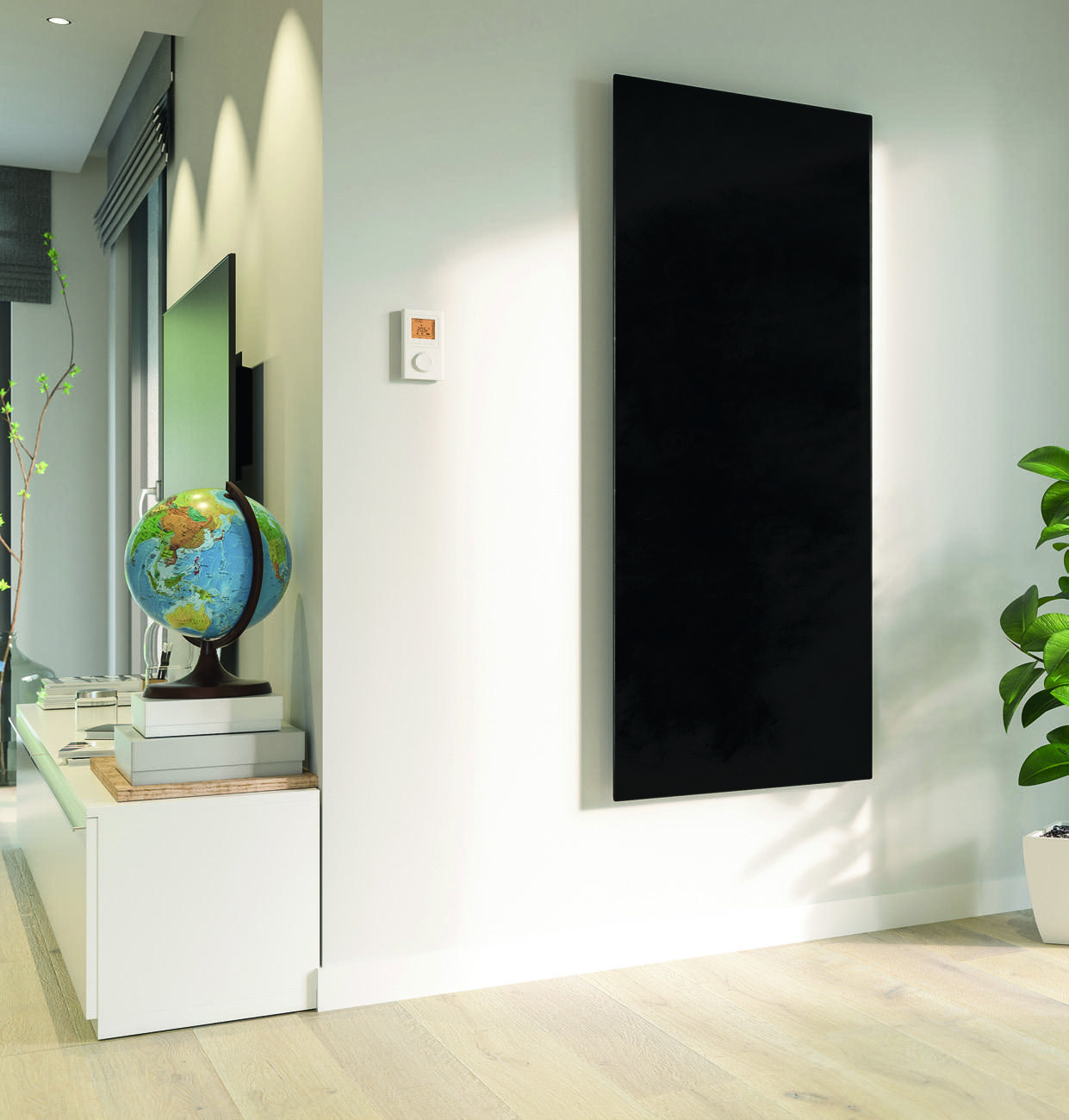
Welltherm infrared heating with a thermostat connects your heating preferences with room usage. Select the desired temperature and, with suitable controls, a programme for when you are present. Panel, receiver and thermostat form one combination. Operation becomes a practical part of your heating plan.
This guide helps select that combination. Read how our DE, SA and WT controls differ, precon’s role and how to make a useful programme for each room. We also discuss zone heating with Welltherm infrared panels: what is possible in individual enclosed rooms, and what changes in an open living room? HeatXL helps select correct components for the Benelux with a proposal matching your panels and operation.
Key points
- Select panel, receiver and thermostat as a complete compatible combination.
- DE uses X3D; SA uses ZigBee 3.0. Identical plug shapes do not make these systems interchangeable.
- App operation depends on the range and additional components; it is not a standard feature of every panel.
- Coordinate temperature measurement and the programme with actual room usage.
- Separate controls for each zone do not change heat transfer through the building between open spaces.
How does Welltherm infrared heating with a thermostat work?
The thermostat compares measured temperature with the desired setting. A suitable switching component then controls heating. In a wireless system, the thermostat communicates with its corresponding receiver. A wired solution has a different connection belonging to the selected version. The combination must technically match the panels used.
An infrared panel has a warm front radiating towards people and nearby surfaces. Those surfaces pass warmth on, including to the air. Temperature controls help align warmth with desired conditions. Positioning and capacity remain important simultaneously: a thermostat does not automatically resolve unfavourable panel positioning or insufficient design output.
Measuring temperature and experiencing warmth
The thermostat figure and comfort at your seat describe different room aspects. Perceived warmth also depends on direction, distance, surfaces and activity. Therefore, assess both temperature measurement and panel arrangement. A desk behind tall furniture can feel different from a position with unobstructed exposure to the heat source.
Read more
The sensor should measure in a representative position according to the chosen controls’ instructions. Direct sunlight, draughts or a nearby heat source can affect readings. Therefore, discuss thermostat placement together with panel positioning. Also consider walls, curtains and furniture that may unfavourably shield the sensor or alter its local ambient temperature.
The receiver’s role
The receiver is the suitable switching component in a wireless combination. Maximum permitted switching output and connection variant differ by version. Recording the model code with the panel plan matters. This clarifies which component operates heating and the connected load. It is especially useful when adding different panels or zones.
Read more
The complete electrical installation is also assessed separately. A receiver’s ability to switch a particular current does not mean every existing circuit accommodates the same additional load. Other equipment, wiring and the main connection count too. Include this preparation in larger projects before finally ordering components.
precon and complete system selection
For suitable Welltherm models, the precon plug concept supports connection to compatible control components. The connector is a connection component. Selected temperature controls and receiver complete operation. Therefore, document the complete combination in the proposal, including the correct cable and connection variant.
Read more
A model-code overview prevents purchasing and expansion confusion. Record panel range, thermostat, receiver and connection per room. Someone later replacing an individual component can identify the suitable combination from this overview. We help connect these details with heating preferences and the selected system’s possibilities.
Which Welltherm controls should you choose?
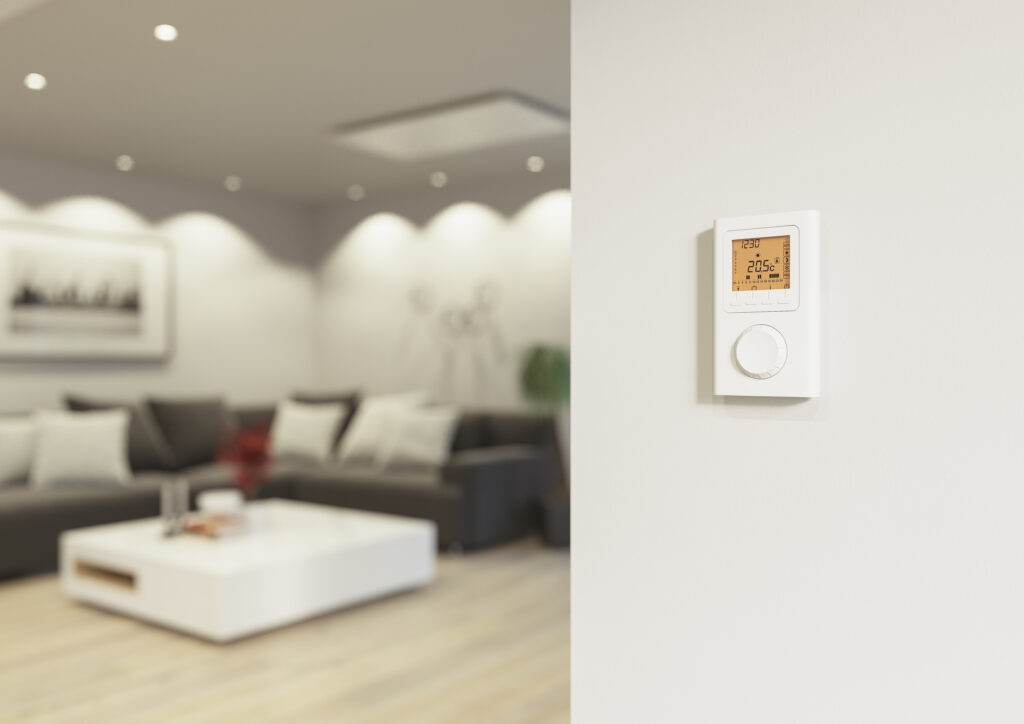
The best thermostat for Welltherm infrared panels is technically compatible and offers the operation you use. Begin with your preference: a simple temperature figure, weekly programme or remote operation. Then consider existing panels and connections. Our different control ranges have their own characteristics to compare in that sequence.
DE: X3D and additional operation possibilities
Our DE range uses X3D at 868 MHz. The premium wireless thermostat has model code DE00000. Set DE00050 combines it with the DE00010 surface-mounted receiver. Connection variants also exist, including an open-connection version and a Schuko variant. Choose the version belonging to the panel and planned connection.
The DE range offers additional components, such as the DE00020 router for smart-home operation. App operation is selected with compatible additional equipment and a suitable system combination. Therefore, state desired operation so those components appear in the proposal. Premium and basic thermostats also do not automatically have identical programming possibilities.
The DE00001 basic thermostat requires a router for programming. This is a practical difference when comparing daily temperature settings with a more extensive programme. Describe beforehand who uses the controls and how the programme should be adjusted. We can then offer the suitable thermostat and required components as an identifiable combination.
SA: wireless controls with their own protocol
Our SA components use ZigBee 3.0 at 2.4 GHz. Set SA00050 includes the SA00010 surface-mounted receiver. The catalogue specifies a maximum receiver load of 10 amperes. The SA controls provide no app operation in this configuration. This is therefore a different product choice from a DE combination with an additional router.
Read more
DE and SA are selected according to their own protocols. A corresponding plug shape does not mean a thermostat from one range can operate the other range’s receiver. Therefore, provide model codes for an existing installation. This makes expansion or replacement specific and helps keep correct components together.
A Welltherm infrared panel with Wi-Fi: what do you control through the app?
When Wi-Fi operation is desired, we consider the connection between phone, home network and control components. The described Welltherm DE range uses X3D at 868 MHz for communication between compatible thermostat and receiver. App operation can be added through a suitable gateway or router, such as an appropriate TYDOM combination. The network connection then belongs to that additional equipment; selection is not based on an assumed built-in Wi-Fi chip in the panel.
Another range’s protocol does not automatically provide an equivalent app function. SA uses ZigBee 3.0 at 2.4 GHz; this is not Wi-Fi, and the described SA configuration has no app operation. Therefore, a general Tuya or Smart Life connection is not attributed to every Welltherm combination. When expanding, provide existing model codes and desired actions. We help select suitable controls and clarify extra components required for remote operation.
Read more
Document which gateway and app are used and the available temperature, programme or status functions in the proposal. Also ask which local operation remains when your phone is unavailable or internet interrupted. Exact operation follows from selected components and their documentation. At commissioning, check the normal weekly programme and a temporary change together so that you understand how both are implemented and ended.
Welltherm infrared panel with remote control: choosing physical operation
Would you like to adjust temperature without a phone? Discuss physical operation as part of the proposal. A suitable external thermostat gives an identifiable place for temperature and programme settings. In the described DE arrangement, it communicates by radio with the receiver; heating is therefore not selected based on an assumed television-style remote or built-in handheld-transmitter receiver.
Read more
Try whether buttons, rotary controls and display work comfortably for room users. Consider readability, accessibility from a normal posture and making one temporary change. If controls also measure temperature, the selected representative measurement location remains important. Do not carry such a thermostat in a coat pocket or put it under a blanket to keep it nearby. This also changes sensor conditions. Choose suitable mounting or permitted positioning and tell users where to change temperature.
Welltherm infrared panel with a Wi-Fi thermostat: testing operation at home
Assess app operation in the home as actually used. Have the suitable gateway connected at its planned location and check communication with selected control components. Closed doors, different floors and final furnishings belong in this test. A theoretical range figure says less than checking your arrangement.
Read more
Then make one change from another occupied room for a clearly named zone. Check the confirmation shown by the chosen app and whether the correct setting is processed in the system. If operation while away matters, have that function tested according to documentation too. Check the result rather than repeatedly sending the same command when response is unclear.
Record who receives app access and who manages the weekly schedule. Agree how a temporary change ends so phone operation and physical controls work together understandably. Keep component codes and agreed operation with the installation overview. Later phone or network replacement then remains focused on the same heating combination.
Comparing differences clearly
| Control range | Feature | What belongs in your selection? |
|---|---|---|
| DE | X3D, 868 MHz | Thermostat, receiver and any router for additional operation |
| SA | ZigBee 3.0, 2.4 GHz | Compatible SA components; no app operation in this configuration |
| WT wireless · existing installations | Weekly programme and receiver | Identify model codes in an existing installation; discuss a current replacement |
| WT Fest · existing installations | Wired room thermostat | Fixed connection and programme; no app operation |
| CD00010 · existing installations | Plug-in thermostat with time control | Suitable panel, compatible load and measurement position |
DE and SA belong to our current controls. The overview also mentions WT and CD00010 for identifying components in existing installations; these older products are not offered in our product catalogue. Use this overview to describe operating preferences. Final selection also requires version details and product documentation. Explore possibilities through our thermostat overview. We then connect the control range with your panels, room and desired operation.
Zone heating with Welltherm infrared panels
Zone heating aligns heating with different rooms or occupied positions. A study may need warmth during working hours while a living room is mainly used in the evening. Suitable controls per zone organise these differences. Begin with an overview of rooms, usage times and desired functions before allocating controllers.
Enclosed rooms as separate zones
An enclosed study has its own temperature and heating requirements. A thermostat in that space can align the relevant panels accordingly. The same applies to other rooms with different daily patterns. Establish panels controlled and sensor positioning per zone. Controls gain a clear scope and remain understandable for users.
Read more
Adjacent-room temperatures can still influence heat transfer. An open door changes conditions even with separate controls. Therefore, record normal room usage and frequently open doors. The zone plan aligns with the actual home, and programmes can be assessed within the building’s interconnections.
Occupied positions in an open space
An open living room with kitchen may have different occupied positions. Sofa, dining table and kitchen may be used at different times. Panels can face these positions and potentially have separate controls. However, zones are not thermally isolated. Warmth moves between sections, and the shared room influences air temperature.
Read more
Therefore, first clarify whether the objective is extra local warmth or general room heating. Primary heating assesses complete heating requirements. Local supplementary heating may add comfort to part of the room while another source provides the baseline. A separate button per position does not automatically create different room climates within the same open plan.
In a large room, also provide positions where you sit still for extended periods. A dining table used as a daytime desk has different occupancy from a kitchen worktop. This helps establish practical arrangements and controls. We connect panels with desired function and representative temperature measurement.
Different daily requirements
The bathroom may have a programme around normal usage periods. Selected panel and mounting position must suit conditions around water. Thermostat and receiver also have their own positioning requirements. Therefore, include the entire combination in assessment, even for brief additional comfort.
Read more
A bedroom has its own usage objective again. Describe whether you want general warmth or mainly comfort while dressing. A study may instead involve longer occupancy at one position. Clearly identifying these functions creates controls matching your day. Desired settings follow from comfort preferences and room characteristics.
Configuring a suitable heating programme
A programme is most useful when easy to understand and change. Begin with a normal week and record when each room is used. Then select temperature periods matching it. Distinguish the programme permitted by chosen components from functions actually needed.
Coordinating preheating with your own room
A panel has a warm-up phase. A cooled-down room and its surfaces also need time to become comfortable. Therefore, assess on arrival how the selected start time works. Adjust in small steps afterwards. A fixed number of minutes for every room would insufficiently account for differences in building, output and starting temperature.
Read more
For controls with a suitable start function, check how it is configured according to the manual. Availability differs by model. Combine selection with wanting a pleasant room at a particular time. Your own room experiences remain useful for assessing whether the programme matches actual occupancy.
Organising absence and changes
A regular home-working day can have a different schedule from an office day. Adapt the programme when your schedule changes. Controls with suitable remote operation may provide convenience here. Check selected components and how the chosen combination is used. Remote operation is a product function with specific technical requirements.
Read more
Also coordinate extended absence with the room. Suitable baseline settings relate to the building, neighbouring rooms and usage. Describe frequently empty rooms in the initial plan. The programme can then fit that situation, and heating use on return remains clear.
Welltherm infrared heating with a thermostat: commissioning checks
During configuration, check not only temperature values but also which panels actually respond to the relevant thermostat. Use the chosen control system’s checking procedure. Have model codes and assigned receivers recorded per zone. With several rooms especially, this prevents an adjustment on one controller unexpectedly influencing another occupied position.
Read more
Then assess a normal heating cycle: does the thermostat request heat, does the intended receiver respond, and does the request change when settings are adjusted according to the manual? Allow the prescribed response time. The panel may remain warm after switching off; a warm front alone therefore does not prove the receiver still supplies electricity. Have unclear responses checked before continually trying new settings.
If controls respond correctly but the seat remains insufficiently comfortable, assess sensor surroundings and panel positioning separately. Record observations and keep final zone allocations with the manuals. You can then discuss later expansion or changed furnishings with us specifically.
Recording settings and comfort
Record start time, temperature setting and occupancy when trying a programme. Describe comfort where you sit. Was it pleasant on arrival, did the dining table stay cooler or was it too warm by the panel? This enables targeted adjustment. For noticeable differences, first check arrangement and measurement position.
Read more
Then change one element at a time. Another start time is easier to assess with temperature and layout unchanged. Consider comparable usage days where possible and keep weather in mind. You can better identify changes practically useful in your room and other conditions’ influence.
What does a consumption display show?
Check how your controls generate energy information. The described premium DE thermostat’s consumption-display function requires entering output of connected heating elements. If you change connected panels, have that setting checked too. The screen helps monitor control usage but is not automatically an individual kWh measurement at every panel connection.
Read more
WT Fest has another indication, calculated from operating time and the set hourly cost. Use a suitable energy meter to compare actual electricity consumption. Also record the zone used, temperature setting and measurement period. Control indications, measured energy and eventual costs remain clearly connected.
Understanding consumption alongside operation
An active programme does not establish actual panel operating hours. Energy consumption depends on output and actual switched-on time. A 600-watt panel uses 1.8 kWh during three total hours operating at nominal output. At an illustrative hypothetical tariff of €0.30 per kWh, this is €0.54. This is a calculation example rather than a daily forecast for every room.
Information displayed by controls depends on the chosen version. Therefore, explicitly ask whether you want temperature, programme or energy details. Not every thermostat measures each panel’s electricity consumption. Our guide to Welltherm infrared heating consumption helps distinguish these details and discuss a suitable measurement method.
Read more
Zone heating can align usage with occupancy, but the financial outcome also depends on the existing situation. If an original heat source is used less, include both sources in comparison. An extra panel alongside unchanged baseline heating mainly adds warmth. Therefore, establish the objective with the programme.
Preparing connections, expansion and advice
A suitable control plan begins with model codes and the electrical situation. Record existing panels and desired operation per room. Add intended expansion. This allows assessment of the correct combination and preparation of on-site work. The overview also helps when replacing a component later.
Assessing each component’s electrical load
Maximum permitted load differs by receiver. The catalogue gives the premium DE surface-mounted receiver a maximum of 16 amperes; other DE versions and the SA receiver have their own specifications. Therefore, do not use one general figure for every component. Connected panel outputs and the complete installation must suit selected components.
Read more
Have a competent installer assess the electrical situation with several panels, new cable routes or fixed connections. Circuits, other equipment and the main supply count. The control component then provides appropriate switching within that plan. Switching capacity and building provisions are assessed for their own functions.
An existing thermostat or smart-home preference
If you already have a thermostat or home-automation system, provide its make and model. An existing appliance for another heating function does not automatically offer suitable connection for electric panels. Have the combination assessed for contact type, protocol, load and desired functions. Specific details let us identify the Welltherm solution belonging to your panel plan.
Read more
Also describe what you want from integration: setting temperature, changing a schedule or operating heating while away. These preferences may require different components. We select the compatible combination and document functions supplied. Daily operation stays clear, and expansion uses the correct system.
Use, positioning and documentation
Thermostat and receiver have their own operating conditions, as does the panel. Position components according to documentation and maintain required clearances. Damp spaces require specific assessment of location and electrical provisions. One component’s protection rating does not make the entire combination suitable for every position.
Read more
After installation, keep manuals, model codes and settings. After furniture changes, check whether warmth still reaches occupied positions effectively. If the daily routine changes, adapt the programme. Careful use continues connecting installation with actual room usage after purchasing.
Requesting a complete quotation
HeatXL helps select suitable panels and control components in the Benelux. Share rooms, existing models, desired programmes and any app-operation preferences. Add a floor plan and electrical-preparation information. We connect these details with suitable components and the project’s appropriate connection variant.
Applicable panels have a five-year manufacturer’s warranty according to the warranty conditions. Control components and accessories may have their own conditions. Therefore, ask about the complete combination in the quotation. Through an advice and quotation request, we make desired operation specific for your situation.
Choose operation for your heating plan
Select a thermostat for Welltherm infrared panels together with the panel and receiver. The suitable combination connects technology with usage: temperature, programmes and possibly remote operation. Share heating preferences and room details. Request advice and a proposal for a clearly controlled Welltherm system.
Frequently asked questions about thermostats and zone heating
Does every panel need its own thermostat?
This follows from zones and the suitable component combination. Several panels can belong to the same controls when load and system are compatible. Enclosed rooms with different usage patterns need individual assessment. Record panels controlled per zone.
Can I combine DE and SA?
The ranges have different protocols: DE uses X3D and SA ZigBee 3.0. Identical plug shapes do not make thermostat and receiver interchangeable. Provide existing installation model codes so correct expansion components are selected.
Can I operate every system through an app?
No, this depends on the range and additional equipment. DE permits app operation with a suitable system combination. SA has no app operation in the described configuration, nor does WT Fest. Ask which components your operating preferences require.
What is the best thermostat position?
The sensor must measure representatively according to product instructions. Avoid adverse sunlight, draught or nearby-heat effects. Discuss measurement location with panel positions and room layout. Controls then suit the space actually used.
Can I control the open kitchen and seating area separately?
This may form part of a zone plan, but the sections remain thermally connected. Warmth moves within the open space. Clarify whether you want local extra warmth or primary heating and assess sensor location against that function.
Can my current thermostat operate the panels?
This requires assessment of the specific combination. Provide make, model, panels and desired functions. Connection, protocol and load must be compatible. An appliance for another heating function is not suitable for electric panels without further checks.
What does precon provide?
With suitable models, the plug concept supports connection to compatible control components. Complete operation also requires the correct receiver and thermostat. Have panel, connection and controls included in the proposal as a combination.
How do I begin a suitable programme?
Record usage times and desired warmth per room. Select suitable controls, then assess start time, measurement location and comfort in practice. Adjust one element at a time and record settings. This makes the programme useful for your own daily routine.